HVAC websites that book more service calls
SimpliTechPro builds custom HVAC websites for heating and cooling companies, with service-area pages, quote requests, and online booking connected, so more local searches turn into booked jobs. The build below, Nordhaven Heating & Cooling, is a live concept demo you can explore.
Nordhaven Heating & Cooling
Built as a Simplified package buildMost HVAC websites look the same: a stock furnace photo, a phone number, and a wall of service names. This demonstration build shows a different way to present a heating and cooling company, as a precision operation, with a website that behaves like the control systems the trade works with every day.
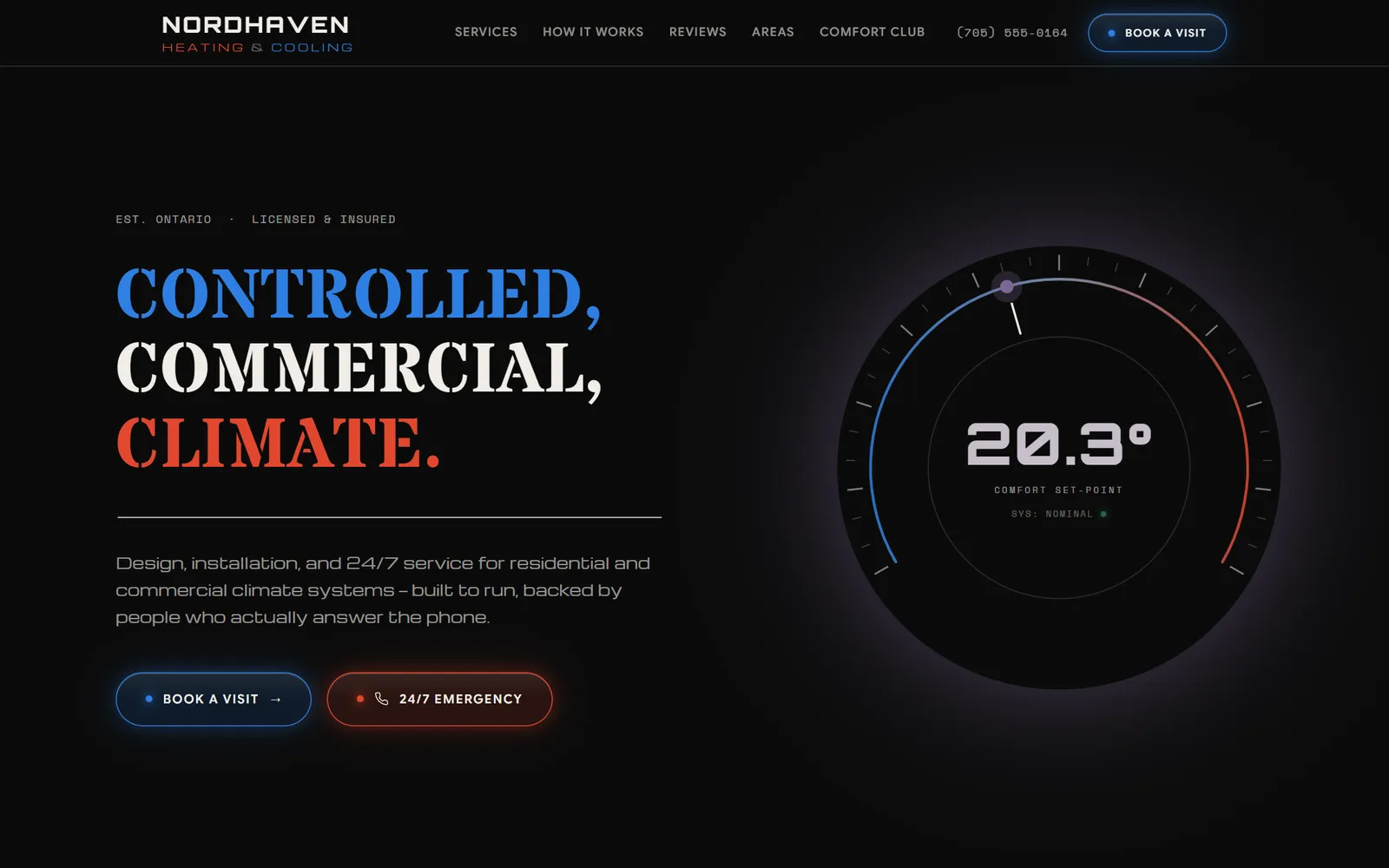
The design direction is a commercial-grade "climate console": a gallery-black canvas, stencil display type, and instrument-panel details. The hero is an interactive climate dial, moving the cursor sweeps the comfort set-point from 16° to 26°, shifting the page's glow from cooling blue to heating red. It makes the first five seconds of the visit memorable, which is exactly what a local service company needs when a prospect is comparing three contractors in three tabs.
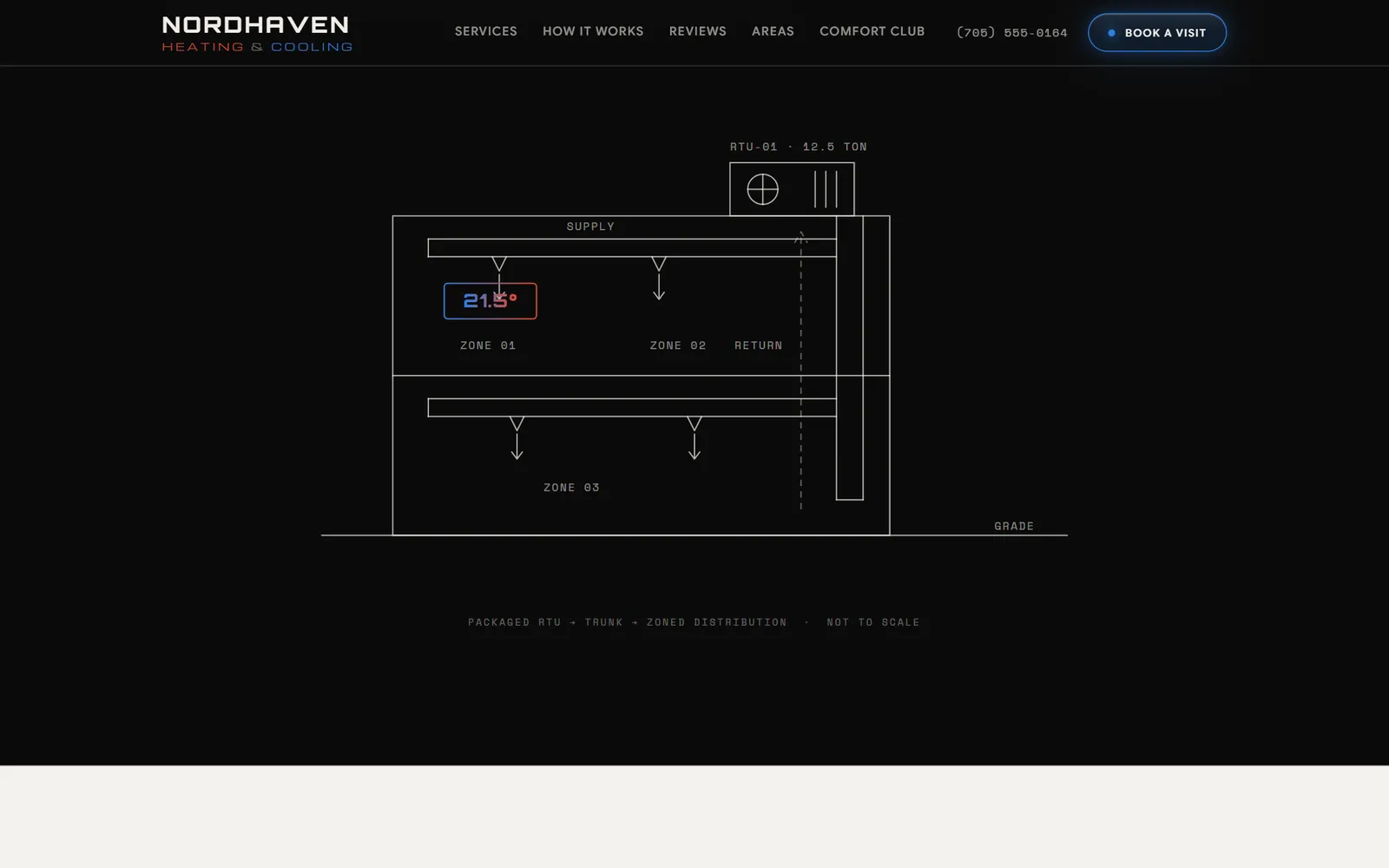
Deeper in the page, a system schematic draws itself as you scroll, packaged rooftop unit, supply trunk, zoned distribution, with a live temperature readout that counts up to set-point. A guided quote wizard collects the job type, property, and timing in four steps, showing how a real HVAC site can turn visits into qualified quote requests instead of voicemails.
What the build shows
Interactive climate-dial hero
The cursor sets a 16–26° comfort set-point and the whole hero shifts between cooling blue and heating red, an instant signal of craft.
Self-drawing system schematic
A technical RTU-to-zones diagram draws itself on scroll with a counting temperature readout, the trade's competence, visualized.
Guided quote flow
A four-step quote wizard (mock in the demo) shows how visits become qualified requests with job type, property, and timing attached.
Commercial-grade design system
Stencil display type, instrument-panel details, and LED-glow action buttons, built to read as precision, not template.
Trust architecture
Licensing, certifications, service areas, reviews, and a maintenance-club section arranged the way HVAC buyers actually evaluate.
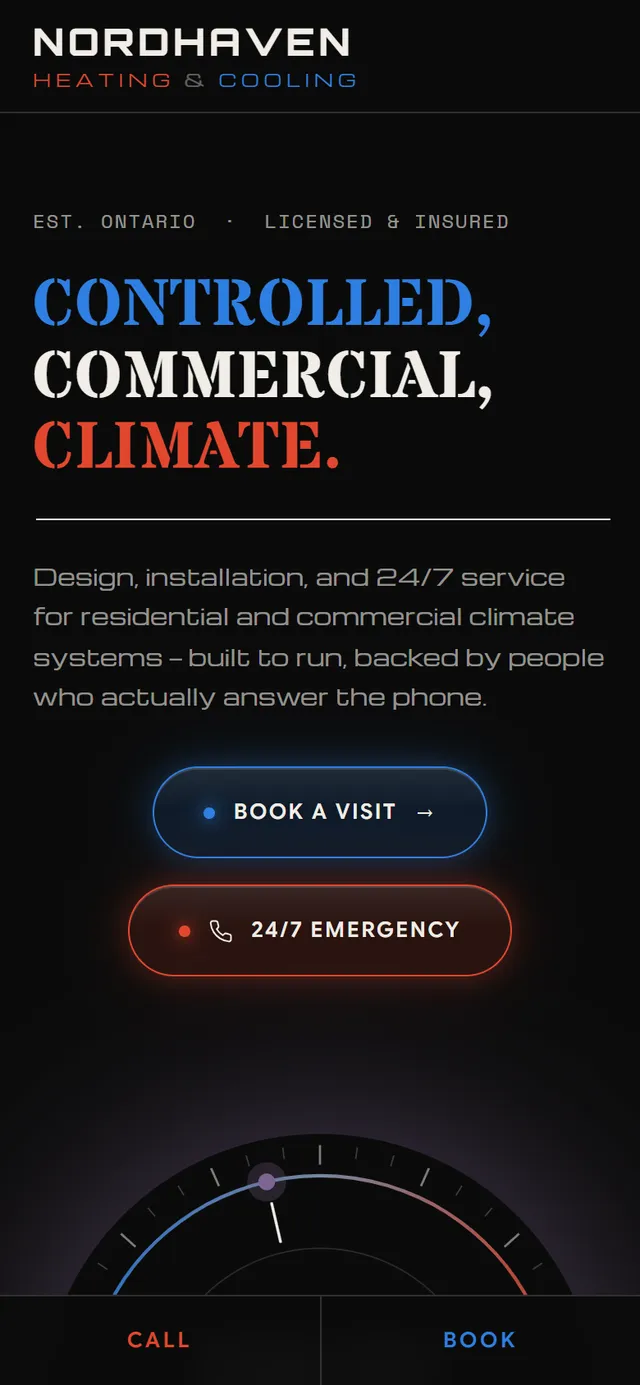
Mobile-first with a sticky action bar
Call and Book actions stay one thumb-tap away on a phone, where emergency HVAC traffic actually happens.
What we integrated and automated
What we integrated
- A guided quote-request flow with job type, property, and timing
- Click-to-call and emergency actions, one tap away on mobile
- Service-area context and trust architecture (licensing, reviews, maintenance club)
- The interactive climate console and self-drawing system schematic
What we automated
- An enquiry is captured and structured for instant owner follow-up
- The climate console guides a visitor toward a quote, not a voicemail
- Every flow is demo-labelled, nothing is sent from the demo
A look at the site
Explore it live. Then imagine yours.
The demo is fully interactive, open it, click around, try the flows. If this is the standard of work you want behind your own business, the next step is a conversation.
The demo opens in a new tab. Every form on it is clearly marked demo, nothing is sent, nothing is charged.