
Free invoice generator for Canadian contractors
Make a quote, an invoice or a change order with your own logo and colours, and download it as a PDF. GST/HST for every province, deposits and progress payments built in. Free, no sign-up, and your invoice never leaves your browser.
Make your invoice
Quotes that turn into signed, paid jobs on their own
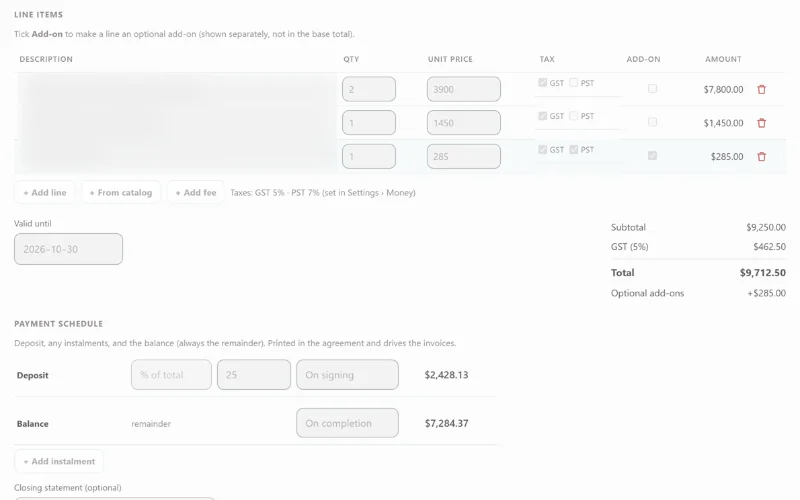
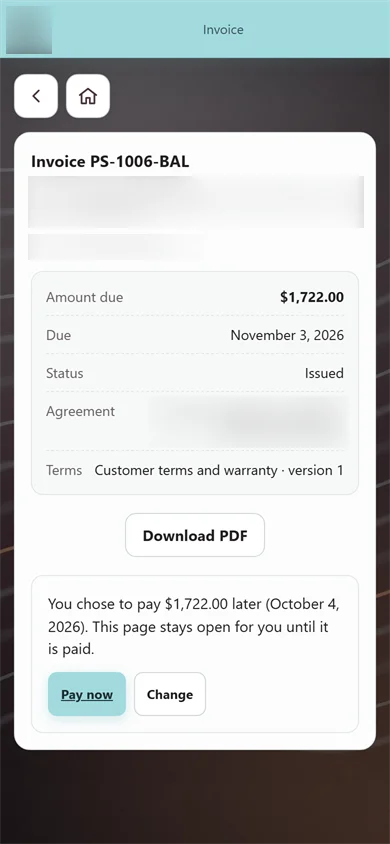
A generator is a good start. In a system built for your company, the quote fills itself from your price list, the customer accepts and signs on their phone, and the deposit is paid in the same step. Change orders are signed with the new price, and every invoice goes out with the right tax and lands in QuickBooks.
- From your price list: line items, options and tax filled in for you.
- Signed and paid in one step: the customer accepts, signs and pays the deposit from their phone.
- Change orders that keep the totals right: approved on the spot, added to the next invoice.
- AI that does the first draft: an AI agent can turn a customer's message and photos into a draft quote for you to approve.
What to put on a contractor quote
- Who and where: your business details, the customer, and the job site address if it is different from theirs.
- The scope in plain words, then line items with quantities and prices, so the customer can see what they are paying for.
- Optional items priced separately. Customers often add one, and it saves a second quote.
- Tax shown as its own line, at the rate for the customer's province.
- How payment works: the deposit, any progress payments, and the balance on completion.
- What is not included, and how long the price holds.
- A line on changes: any change is priced and signed before it is done.
- A place to accept: name, signature and date.

What a Canadian invoice has to show
If you are registered for GST/HST, the information on your invoice depends on the total. These are the details your customer needs to claim input tax credits (Canada Revenue Agency, page dated October 14, 2026):

| Information | Under $100 | $100 to $499.99 | $500 or more |
|---|---|---|---|
| Your business or trading name | Yes | Yes | Yes |
| The invoice date | Yes | Yes | Yes |
| The total amount | Yes | Yes | Yes |
| The GST/HST charged, or a note that the price includes it | No | Yes | Yes |
| Your GST/HST registration number | No | Yes | Yes |
| Which items are taxable and which are exempt, if both appear | No | Yes | Yes |
| The customer's name | No | No | Yes |
| A brief description of the work | No | No | Yes |
| The payment terms | No | No | Yes |
Contractor invoices are often over $500, so the generator includes every line.
Not registered yet? Small suppliers (taxable revenue of $30,000 or less over four consecutive calendar quarters) do not have to register, and if you are not registered you do not charge GST/HST. Switch on "I'm not registered" and the tax line and registration number are left off. Once you pass the threshold, the CRA's rules on registering apply.
Need the tax worked out for a province? Use our Canada sales tax calculator.
Working out the price first? Use the markup and margin calculator.
Deposits, progress payments and change orders
- Deposit: state it on the quote as a percentage or an amount, and show it as received on every invoice after.
- Progress payments: tie each one to a stage the customer can see (rough-in done, cabinets installed, final inspection passed), not to a date.
- Change orders: write the change, the new price and the new total, and get it signed before the work. The next invoice then matches what was agreed, and nobody argues at the end.

Example line items by trade
These show how to fill in a quote. They are examples, not price guidance.
- Renovation contractor (kitchen): demolition and disposal · cabinets supplied and installed · countertop templated and installed · electrical rough-in by a licensed subcontractor · permit · paint and finishing
- Electrician (panel upgrade): 200 A panel supplied and installed · permit and inspection · labour · circuits moved and labelled
- HVAC (furnace and air conditioner): equipment supplied · old equipment removed and disposed of · installation labour · thermostat · start-up and test
- Plumbing (water heater): water heater supplied · connection and venting kit · old tank removed · installation labour
- Roofing (re-roof): tear-off and disposal bin · underlayment · shingles · flashing and vents · cleanup
General information, not tax or legal advice.

Sources (checked October 23, 2026)
- Canada Revenue Agency, "Input tax credits" (page dated 2026-10-14): the information table
- Canada Revenue Agency, Guide RC4022, General Information for GST/HST Registrants: the small supplier threshold