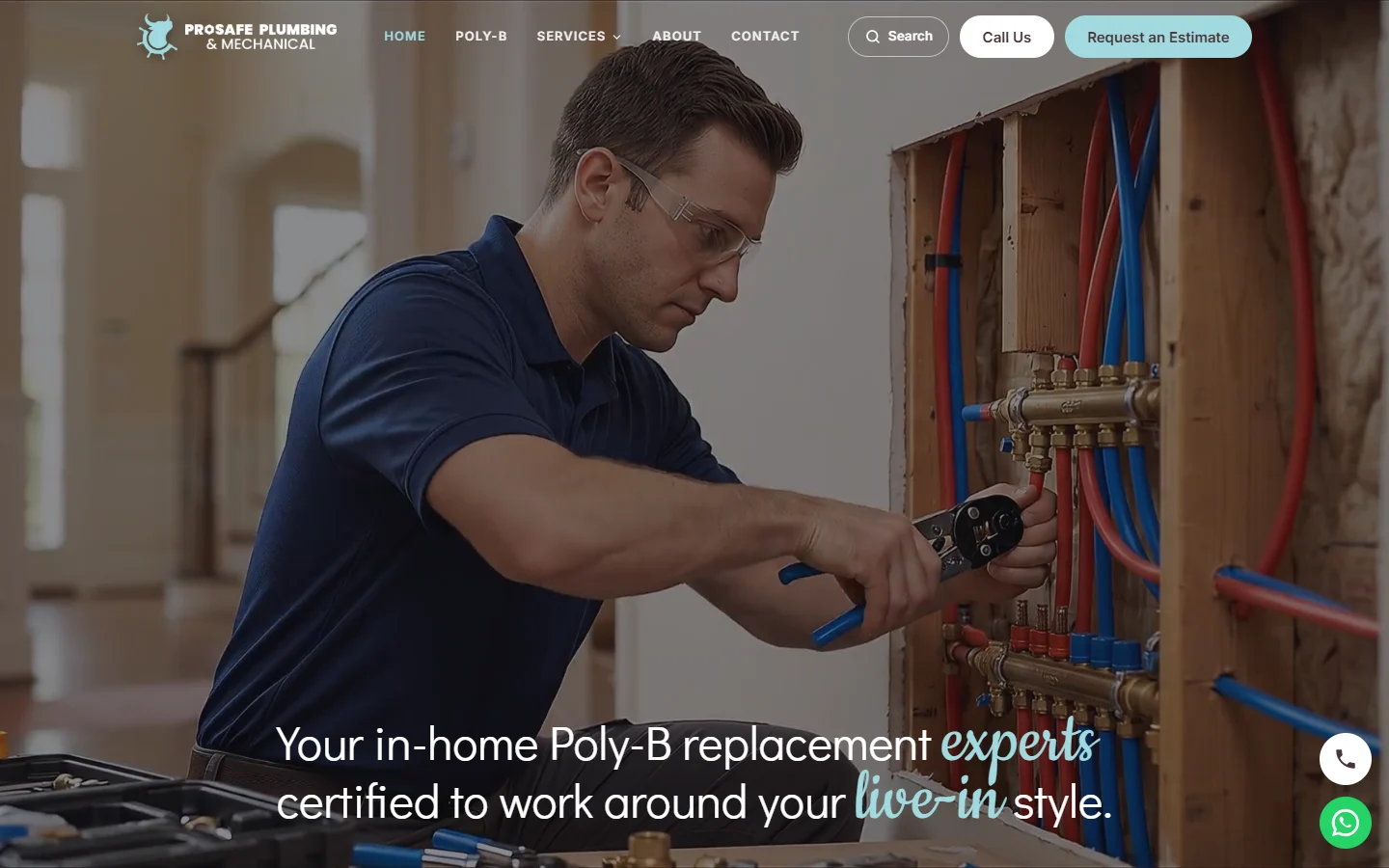
Client work · North Vancouver, BC

Custom plumbing software and a high-performance website for Prosafe Plumbing & Mechanical

A faster website that wins the work, then the Prosafe Office custom platform and apps, which take every job from the first enquiry to the paid invoice, with the crew, the subcontractors and QuickBooks connected.

The business

Prosafe Plumbing & Mechanical serves homes and businesses across North and West Vancouver, with poly-B replacement as its specialty. Prosafe's management contacted us on a referral from another client in the same industry. The brief: a website that brings in better work, then one system to run everything that follows.

Part 1: a plumbing website built to win the work

Their previous website ran on WordPress. It listed the services, but the work that matters most shared a general page with everything else, there was no blog, and search engines had little to go on.

What we built

  • A static build served from a global edge network: pages load fast on any phone, with no plugins or themes to patch.
  • A page of its own for the specialty: poly-B replacement explained step by step, with the warning signs homeowners look for.
  • A move with nothing lost: every old address redirected, so links and search rankings carried over, and the business email kept running through the switch.
  • Search and AI ready: structured data, local search set-up, a sitemap, Google Search Console and Analytics, and open to AI search engines.
  • An estimate form that answers itself: spam-protected, with branded emails to the office and to the customer.
  • A hero film made for the site.
  • Room to grow: service area pages, a blog, and Prosafe's Google reviews shown live on the site, all managed from the Prosafe Office platform (Part 2).

Google PageSpeed Insights, home page

PerformanceAccessibilityBest practicesSEO
Mobile83100100100
Desktop99100100100

Scores from Google PageSpeed Insights, October 24, 2026. The mobile test is deliberately strict: it simulates a budget phone on a connection slower than three quarters of 4G connections. On a normal LTE or Wi-Fi connection, the page loads faster than this score suggests.

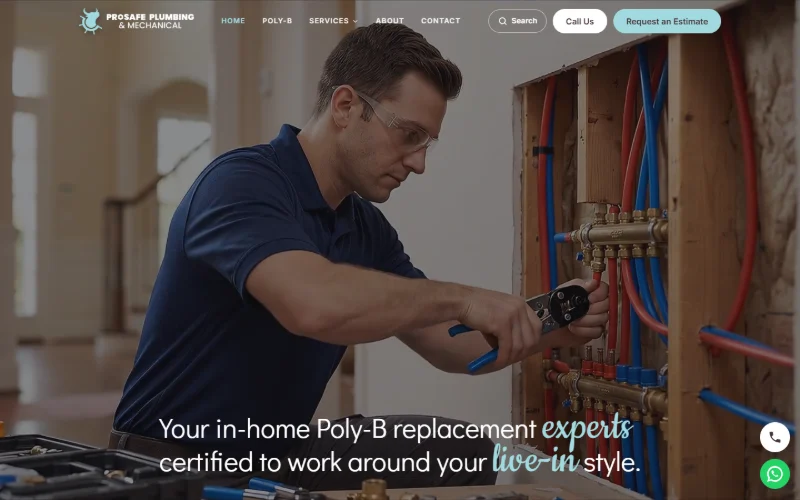
The home page, built around the work Prosafe wants most.
The poly-B page on a phone.

Part 2: the Prosafe Office custom platform and apps, field service software built around one business

Most trade businesses run the office on a pile of separate tools: a CRM, a quoting app, a timesheet app, a spreadsheet for subcontractors, and QuickBooks, with someone copying data from one to the next. The Prosafe Office custom platform and apps replace all of it with one system built around how Prosafe works.

Three apps on one platform

The Prosafe Office app, for management

The whole business on one screen, on a computer or installed on a phone, with a live Needs attention list and instant notifications for new leads, signatures and payments.

The Prosafe Team app, for employees and subcontractors

A phone app for the crew: their jobs, work orders, clock-ins, photos, expenses and documents. It keeps working on sites with no signal.

The customer portal

No passwords to forget. Customers sign, pay and approve the finished work from secure links, and check everything in their own portal.

Real screens from the Prosafe Office platform.

A plumbing CRM for leads and customers

No enquiry slips through.

  • Website, phone and referral leads in one pipeline, with the source of each.
  • A reminder when a new lead hasn't been contacted within two days.
  • One click turns a lead into a customer, with every property they own attached.
  • A searchable customer book, with import and export.
The pipeline: each lead with where it came from, and the Needs attention list of what to chase first.
One menu for everything the office does: pick a task and it opens at its first step.
A customer's card: every project, what's paid and the profit on the job.
The customer book, with the next action for each customer.

Proposals and e-signatures

From quote to signed job without paperwork.

  • Line-item proposals with the right taxes, sent as a branded PDF.
  • The customer reviews and signs on their phone; the signed agreement is frozen as a fingerprinted PDF that can never be altered.
  • A follow-up flag when a proposal is opened but not signed, and an expiry date the customer can see.
  • The deposit invoice goes out the moment the proposal is signed.
Building a proposal, step by step: each line priced, the taxes ticked per line and the totals worked out.
The payment schedule: a deposit, a progress payment and the balance, each tied to a step in the job.
A signed agreement: who signed, when, the deposit paid and the document's fingerprint.
The signed agreement as a branded PDF.

Job scheduling and work orders

Every job, its people and its numbers in one place.

  • Tasks, checklists, photos, files and messages on each job.
  • Work orders sent to the crew, accepted or declined from their phones.
  • A live profit and loss on every job: labour, subcontractors and materials against the price.
A job's overview: the contract, the profit and loss, the team, the Google review request and every step taken.
The job's tasks, ticked off by the crew, with who did each one and when.
The same kind of job in the crew's app, with the sign-off button.
Messages between the office and a team member.
The team member's side of the same conversation.
Customers message the office from their portal.

Subcontractor management

Every sub, every document, every invoice.

  • Subcontractor agreements signed inside the app.
  • Fixed-price or hourly work orders, with changes the sub accepts before they apply.
  • Insurance and certificates on file, with expiry tracking and automatic renewal reminders.
  • Subs send invoices and expenses from their phones; approved invoices land in the job's costs and in QuickBooks.
A subcontractor's documents: the signed agreement, WorkSafeBC, insurance and licences, each with its expiry.
A subcontractor's job on their phone, with the work order and an invoice button.
The sub's invoices to Prosafe and where each one stands.
The signed work order, frozen with its fingerprint.

An employee time tracking app with geo-tagged clock-ins

Accurate hours without chasing timesheets.

  • Clock in to a job, log the drive, breaks and the next job with one tap each.
  • Geo-tagged time: every tap records the phone's location, and the office sees any clock-in made far from the site address. Nothing is tracked between taps.
  • Automatic clock-out after a set limit, and reminders for a forgotten clock-out or a long drive.
  • BC overtime rules worked out automatically; approving a week locks its pay, and payroll exports as a file.
  • Expenses and receipts sent from the phone.
Approved time, with a clock-in flagged as far from the site.
The crew's timesheet: approved hours lock, and missed hours wait for the office.
Time on each job, with any far-from-site clock-in flagged.
Expenses sent from the phone and approved by the office.

Invoicing, payments and QuickBooks integration

The books stay current without typing anything twice.

  • A two-way QuickBooks Online link: invoices, deposits and costs are sent automatically, and payments made in QuickBooks come back and mark the invoice paid.
  • Online "Pay now" on every invoice, and automatic first and final payment reminders.
  • Supplier bills, receipts and reimbursements tracked as payables.
  • Anything changed directly in QuickBooks is flagged in the Prosafe Office platform.
The money at a glance: collected, costs, receivables, overdue and payables.
Every invoice with its status and its QuickBooks status.
A job's money: the payment schedule, payments received and each record's QuickBooks status.
The customer's invoice page, with Pay now.

Job completion and reviews

Finish the job, get paid, get the review.

  • A Certificate of Completion the customer signs online, with the final invoice beside it.
  • When the final invoice is paid, the customer gets a Google review request automatically.
  • New five-star reviews appear on the website by themselves; lower ratings wait for the office to read first.
A job's legal record: the signed agreement, the Certificate of Completion and the team sign-offs, each with its fingerprint.
The Certificate of Completion page, signed by the customer, with the final invoice beside it.
The accepted certificate as a PDF.

The website, run from the platform

Marketing without calling a developer.

  • Blog posts, promotions with automatic end dates, the price list and Google reviews, all edited and published from the Prosafe Office platform.
  • Google and Bing are told about every change automatically, and site analytics show on the platform's home screen.
The home page offers, edited with a live preview beside them: nothing changes on the website until Publish.
The price list: one catalog that updates the website's price page and the proposals.
A new blog post in three steps: write it, add the search details, preview and publish.

Security and records

Built to be trusted with the business.

  • Invitation-only access with separate roles for management, employees and subcontractors, enforced in the database itself.
  • Signed agreements, work orders and certificates can never be changed or deleted, and every action is logged.
  • The business can export its data at any time.
The activity log: every change, who made it and when, with an export of everything.
Photos and files, each set to who can see them: the customer, the team or the office only.

In their words

“I appreciated being able to explain how our plumbing business operates and work with him on features that suit our needs.”

Owner, Prosafe Plumbing & Mechanical Verified review on Clutch Read the review on Clutch (opens in a new tab)
What we build

A system built around your business, one step at a time

Prosafe started with a website and grew into the Prosafe Office custom platform and apps. We work the same way for renovation companies, electricians, landscapers and service businesses: start with what brings in the work, then connect everything that happens after it.

  1. Start with the website

    Built around what wins your jobs, fast on a phone, and ready for search from day one.

  2. Then the office

    Enquiries, quotes, signatures, crews, time, invoices and payments in one platform, connected to the accounting you already use.

  3. Then the AI agents

    Agents that draft quotes, answer enquiries and follow up on what's overdue, working inside your system.

Questions

Did Prosafe have to change how it works to use the platform?

No. The Prosafe Office platform was built around how the business already ran: its own steps, documents, team and rules. That is the point of custom software.

How is custom plumbing software different from Jobber or ServiceTitan?

Off-the-shelf field service software asks every business to work the same way, with monthly fees that rise as the team grows. A custom platform is built around one company's own steps, documents and rules, with no per-user licences. Our Jobber, Housecall Pro and ServiceTitan alternatives guide compares the options.

Does it replace QuickBooks?

No, it works with it. Invoices, deposits, payments and costs move between the two automatically, and QuickBooks stays the accounting system.

Does the employee time tracking app follow people all day?

No. The phone shares its location only at the moment of a tap: clock in, arrived, break or clock out. Nothing is tracked between taps.

Does the crew app work without signal?

Yes. Clock-ins, notes and photos save on the phone and send when the signal comes back, with the real time of each tap.

Could you build this for a business that isn't a plumber?

Yes. The same building blocks make contractor management software for any trade or service business that quotes, schedules crews and sends invoices: a renovation company, an electrician, a landscaper, a cleaning company.

Do I need a new website first?

No. Prosafe started there, but a custom platform can also be connected to the website you already have.

Want a system built around how you work?

Tell us how you quote, schedule and invoice today, and we'll show you what your system could do.

Start Here