Jobber, Housecall Pro and ServiceTitan are the three names most Canadian trades businesses meet when they look for software to run quotes, jobs and invoices. All three are good at what they were built for. This guide compares what they cost for a real team, where each one fits, and when a system built for your own company is the better alternative.
Prices checked: October 23, 2026. All three publish prices in US dollars (or not at all). Confirm on each vendor's own page before you buy.
The three at a glance
| Compared | Jobber | Housecall Pro | ServiceTitan |
|---|---|---|---|
| Based in | Edmonton, Alberta | United States | United States |
| Built for | Home service crews, from one person up | Home service businesses, small to mid-size | Contractors who need dispatch, call booking and payroll tools |
| Price for one user | Core US$29, Connect US$99, Grow US$149 a month | Basic US$59 a month | Not published |
| Price for a team | Up to 10 users: Connect US$229, Grow US$299, Plus US$449 a month | Essentials US$149 a month (5 users), Max US$299 a month (8 users, US$35 for each extra user) | Priced per technician, by quote |
| Billing | Prices shown are for yearly billing; monthly costs more | Prices shown are for yearly billing; monthly costs more (Basic is US$79 monthly) | By quote |
| Paid add-ons | AI Receptionist US$29, Pipeline US$49, Marketing Suite US$99 a month | Some tools are only on higher plans | Not published |
Jobber's page also showed a first-year promotion ending October 30, 2026. The table shows its regular yearly prices.
ServiceTitan's price: it does not publish one. Third-party estimates collected by Projul (a competitor of ServiceTitan) in 2026 put it at roughly US$245 to US$500 per technician a month, plus a one-time setup fee. ServiceTitan has not confirmed those numbers.
What a 10-person team pays in a year
- Jobber Grow (up to 10 users): US$3,588
- Housecall Pro Max (8 users plus 2 extra): US$4,428
- ServiceTitan, if all 10 are technicians, at the third-party estimates: about US$29,400 to US$60,000, plus setup
Not counted: add-ons, payment processing fees, and the time it takes to set the software up around your work. Every price also moves as your team grows.
Is Jobber worth it? Is Jobber a CRM?
Jobber is a field service platform with a CRM built in. It keeps your clients, requests, quotes, jobs, invoices and payments in one place, and the Connect plan and above sync with QuickBooks Online. For a crew doing service visits (book it, do it, invoice it), it is quick to set up and hard to beat for the price, and it is a Canadian company.
Housecall Pro covers similar ground for home service businesses, with online booking, dispatch, estimates, invoicing and job costing. ServiceTitan is the heavyweight, with dispatch boards, call booking, memberships and payroll tools, priced per technician.
So the real question is not whether these tools are good. It is whether your work looks like the work they were designed around.
Where off-the-shelf trades software starts to pinch
A renovation or general contractor
Your jobs run for weeks, not hours. A project has a deposit, a signed contract, change orders, progress payments, subcontractors with their own work orders and invoices, and site photos the client wants to see. Field service platforms are designed around visits and crews, so a long project with several subcontractors can mean extra tools, spreadsheets or workarounds beside them.
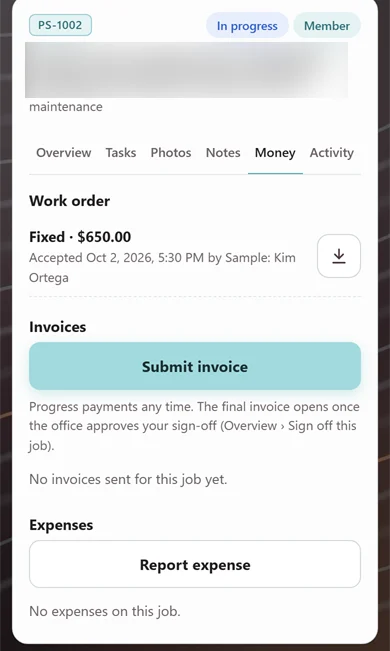
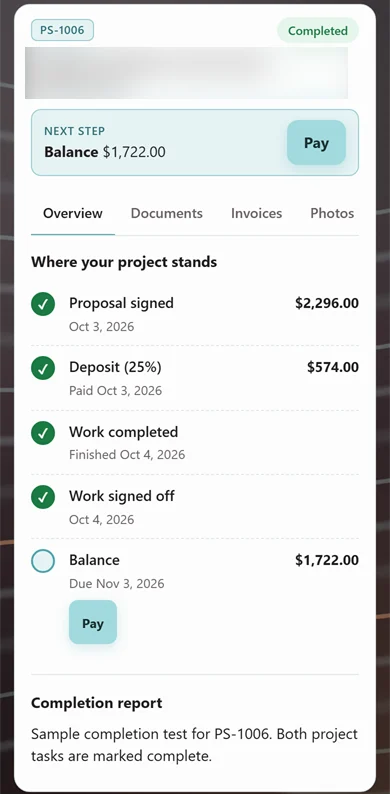
See the full story: the Prosafe Office custom platform and apps we built for Prosafe Plumbing & Mechanical.
Check in the demo: how a change order is priced, signed and added to the next invoice; how a subcontractor gets a work order, signs it and sends their invoice; how progress billing works on a multi-week job.
An electrical contractor with service and project work
Many electrical contractors run two businesses at once: quick service calls, and larger commercial or new-build projects with permits, inspections and staged billing. Service-call software handles the first well. The second often ends up in a spreadsheet beside it, with the same customer typed in twice.
Check in the demo: whether one job can carry both short service visits and a long project, and how inspections and staged invoices are tracked against it.
A growing company with office and field roles
As you hire, the bill grows with every user or technician. You also start to need different views for the owner, the office, employees and subcontractors: who sees prices, who approves time, who signs off on a job. Higher plans add more of this, at higher prices.
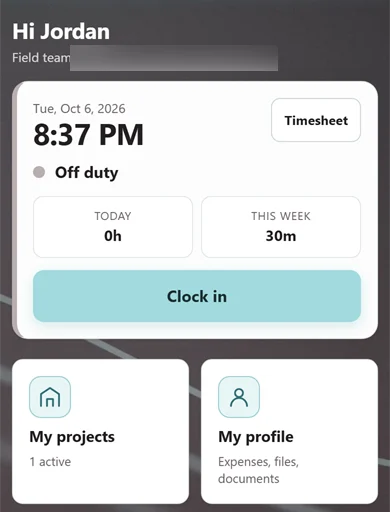
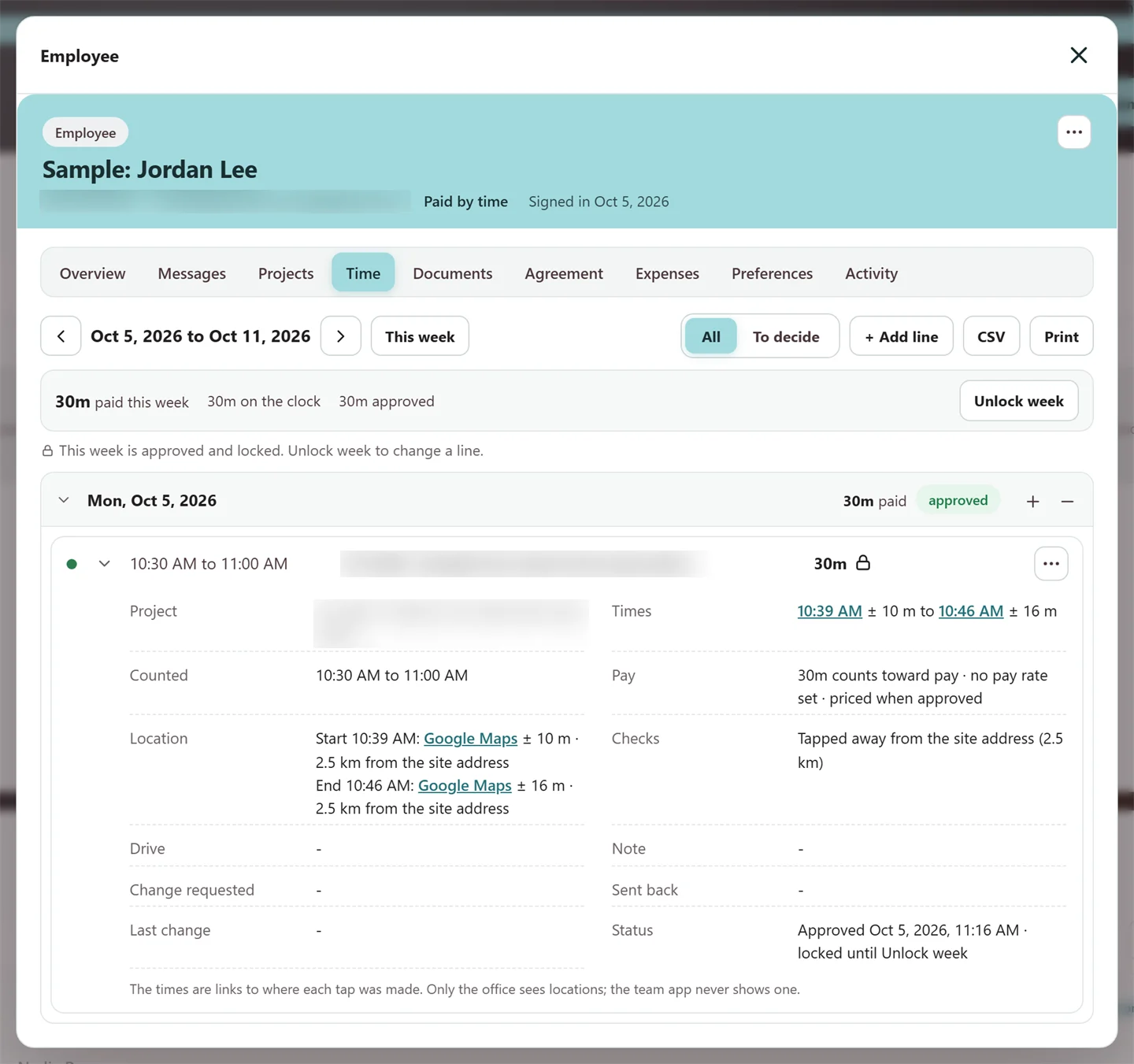
Check in the demo: what the price is at your size in two years, and what each role can and cannot see.
Questions to ask before you choose
- What happens on your longest, most complicated job, step by step? Does the software follow it, or do you work around it?
- How do subcontractors fit in: work orders, sign-offs, their invoices, their insurance and licence documents?
- How do time and location get recorded in the field, and who approves them?
- What does it cost at your team size today, and with twice the team?
- Does it work with QuickBooks the way your bookkeeper needs, and which plan includes that?
- If you leave, how do you get your customers, jobs and documents out?
If the answers fit, buy the platform and get on with the work. If you keep finding workarounds, it is worth pricing a system built around how your company runs. For the general version of this decision, see our guide to custom CRM vs off-the-shelf.
Where AI fits
Jobber now sells an AI Receptionist add-on, and other platforms are adding AI too. Inside one product, the AI works with what that product holds. In a system built for your company, an AI receptionist or an AI agent can answer a new enquiry, check the customer's history, draft the quote, book the visit in your calendar and update the job, then wait for you to approve what matters.

A system built around how your trade actually runs
SimpliTechPro builds business systems on your own accounts: your website, an office app, a team app for the field and a customer portal, working as one with the tools you already use and AI. Renovation, electrical, HVAC, roofing or any other trade: the system follows your jobs, not someone else's template.
- The office: leads, quotes, signed agreements, deposits, change orders, jobs and invoices in one flow, in step with QuickBooks.
- Scheduling: visits and crews booked in your calendar, with reminders to your customers.
- The field: employees and subcontractors clock in at the job, add photos, sign their work orders and send their invoices from their phone.
- Your customers: they approve, sign, pay and see where their job stands in their own portal.
- Room to grow: adding a person to the team doesn't add a licence fee.
Sources (checked October 23, 2026)
- Jobber pricing (getjobber.com/pricing), US dollars, yearly billing, team sizes "Just me" and 6-10 people
- Housecall Pro pricing (housecallpro.com/pricing), US dollars, yearly billing, general contractor view
- ServiceTitan pricing and packages (servicetitan.com/pricing)
- Projul, "ServiceTitan pricing analysis 2026" (last updated October 2026), citing FSM Advisor and ToolEdUp